Retail Employee Training Software: A Buyer's Checklist
Quick answer
24 criteria for choosing retail employee training software for multi-location chains, plus demo questions, red flags and a simple scoring sheet.
Retail training has a few problems no other industry has in quite the same combination: very high turnover, lots of part-time and seasonal staff, constant product launches and promotions, strict brand standards across hundreds of stores, and associates who are on the shop floor, not at a computer.
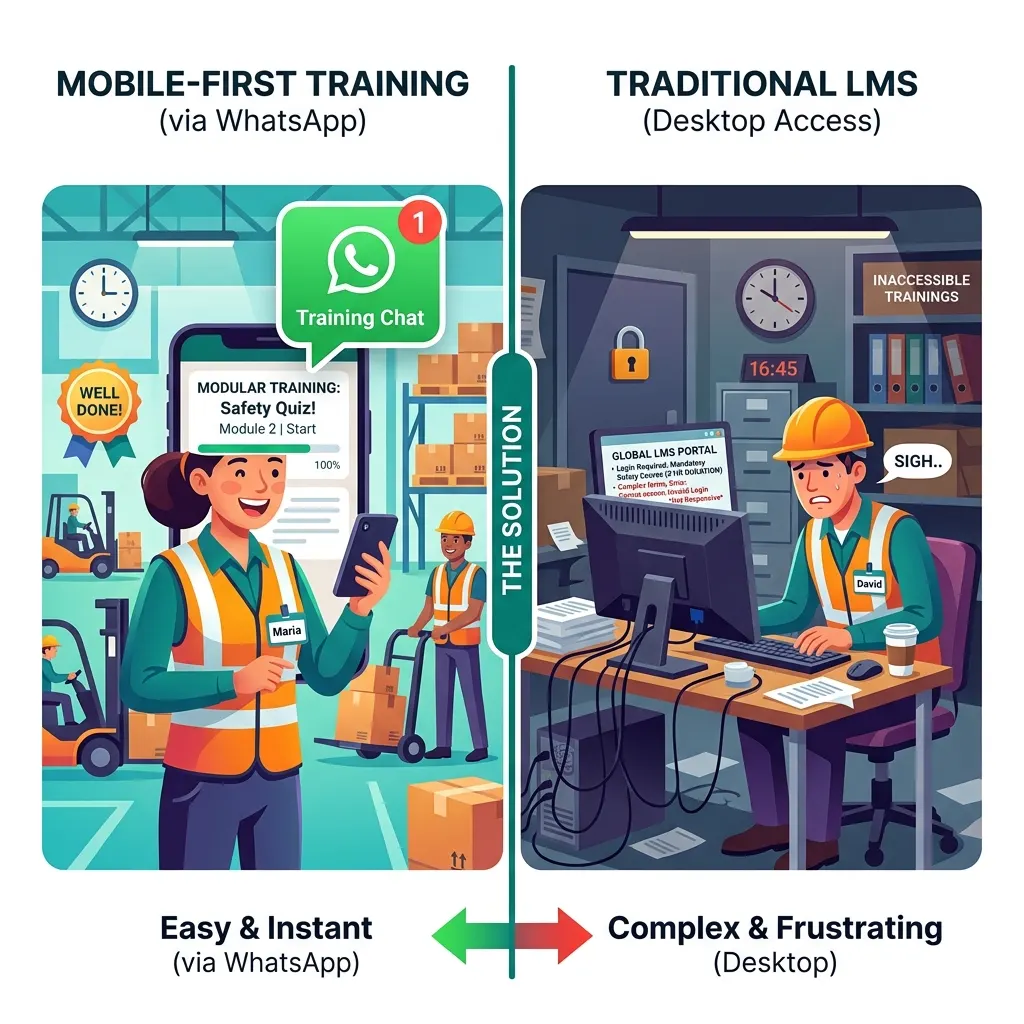
That combination is why generic corporate LMSs so often disappoint in retail. They're built for office workers who log in from a laptop. Store associates aren't office workers.
This checklist is for retail L&D, operations and HR leaders choosing training software for a multi-location chain. It covers 24 criteria grouped into six areas, the questions to ask in a demo, the red flags to watch for, and a simple way to score vendors. We've deliberately kept it vendor-neutral, so you can apply it to every platform on your shortlist, including ours.
What retail training software has to handle
Before the checklist, it helps to be clear about the jobs retail training software has to do:
- Onboarding new associates fast, often before their first shift.
- Product knowledge for every launch, range change and season.
- Promotions and campaigns, which change weekly.
- Brand and visual merchandising standards.
- Customer service skills.
- Loss prevention and cash handling.
- Compliance: safety, food hygiene for food retail, age-restricted sales, data privacy.
- Store manager development.
Not every platform does all of these well. Decide which matter most for you before you start looking.
Area 1: Reach and adoption (the area that decides everything)
- No-login access. Can an associate without a company email reach a lesson on their own phone in under a minute?
- No app required, or a very light one. App downloads are a major drop-off point for store staff.
- Part-time and seasonal staff. Can you reach associates who work two evenings a week and miss every briefing?
- Agency and franchise staff. Can you train people who aren't in your HRMS?
- Proven active usage. What share of store associates at comparable retailers are active monthly?
If a platform scores poorly here, nothing else matters. Frontline retail turnover has long been around 60% a year in markets like the US, according to McKinsey, so a platform has to work for people in their first week, not just for long-tenured staff.
Area 2: Content creation and speed
- Fast authoring from existing material. Can you turn a product sheet, planogram guide or promotion brief into a lesson in minutes?
- Mobile-native formats. Short, vertical, visual lessons, not shrunk desktop slides.
- Easy updates. When a promotion changes, can you update the lesson and see who has seen the new version?
- Templates for retail topics. Product launches, visual standards, customer service scenarios, loss prevention.
- Media support. Photos of displays, short product videos, audio.
Product knowledge is where speed matters most. A lesson that arrives a week after the launch is a lesson nobody needed. Our guide to product knowledge training for retail teams covers what good looks like.
Area 3: Languages and accessibility
- All the languages your stores use. In India, that might mean Hindi, Tamil, Telugu, Kannada, Marathi, Bengali and more.
- Fast, good translation. AI translation with a review step, rather than weeks of agency work per module.
- Audio. For associates who'd rather listen than read.
- Low bandwidth. Lessons that load on mobile data in a basement stockroom.
Area 4: Store manager and operations tools
- Store-level visibility. Can a store manager see, on their phone, who in their team has completed what?
- Area and regional views. Completion and scores by store, cluster and region.
- Direct-to-associate sending. Can head office send a lesson to every associate directly, instead of relying on managers to cascade?
- Questions on the floor. Can associates get quick answers to product and policy questions while serving customers?
If you regularly roll out new processes across stores, see our store rollout playbook for retail ops leaders.
Area 5: Compliance and evidence
- Per-associate records. Who completed which module, when, with what score, and which version.
- Certificates and exports for audits.
- Reminders and escalation for overdue mandatory training.
Area 6: Integration, pricing and implementation
- HRMS integration, so new joiners are enrolled automatically and leavers removed.
- Pricing that fits turnover. Per-seat pricing can punish high-churn workforces. Ask how the price changes as people come and go.
- Fast implementation. How long until the first stores are live? Ask for a reference who achieved it.
Our guide to implementing a frontline training platform and its real cost of ownership goes deeper on the last two.
Questions to ask in the demo
Don't let the vendor drive the demo with their best features. Make them show you your reality:
- "Here's one of our product launch PDFs. Build a lesson from it now."
- "Translate it into Tamil and Hindi, with audio."
- "Send it to this phone, which has no company account. Show me what the associate sees."
- "Show me what a store manager sees for their team."
- "Show me the report an auditor would get for our mandatory modules."
- "What happens when an associate leaves and rejoins three months later?"
- "What share of associates at your three most similar customers are active each month?"
Red flags
- The demo is all on a laptop. If the vendor never shows the associate experience on a phone, ask why.
- "Adoption depends on your change management." Partly true, but a platform that needs heroic change management to get associates to open it will struggle in retail.
- Long content production timelines. If a new lesson takes weeks, it won't keep up with promotions.
- Per-seat pricing with no answer on turnover.
- No references in retail, or none in your region.
- Translation as a paid services add-on for every module.
A simple scoring sheet
Weight the six areas for your business. A typical multi-location retailer might use:
- Reach and adoption: 30%
- Content creation and speed: 20%
- Languages and accessibility: 15%
- Store manager and operations tools: 15%
- Compliance and evidence: 10%
- Integration, pricing and implementation: 10%
Score each vendor 1 to 5 on each criterion, average within each area, then apply the weights. Then run a two-week pilot with your top two. Pilot data beats demo impressions every time.
Run a pilot, not just a demo
Pick two comparable groups of stores. Send the same product launch lesson through each shortlisted platform. After two weeks, compare:
- How many associates opened it.
- How many completed it.
- Quiz scores.
- How much store manager time it took.
- What associates and managers said.
Common mistakes retailers make
- Choosing the LMS head office already uses because it's familiar, without testing it with store associates.
- Buying for content libraries. Generic courses rarely match your products, brand and procedures.
- Ignoring part-timers and seasonal staff in the evaluation.
- Underestimating languages. One language for a multilingual chain leaves people out.
- Measuring completion only. Track sales of new products, mystery shop scores, shrinkage and customer feedback too.
How Leap10x measures up
We built Leap10x for exactly the problems in Area 1, so here's how it scores, honestly:
- Reach: lessons arrive on WhatsApp, with no app, login or company email, for full-time, part-time, seasonal, agency and franchise staff alike.
- Speed: AI turns PDFs, product sheets and decks into short story-style lessons with quizzes in about 10 to 15 minutes.
- Languages: 70+ with auto-translation and audio, including the major Indian languages.
- Store visibility: real-time completion and scores by store, region and associate.
- Answers on the floor: Assist answers associates' questions from your approved documents.
- Evidence: per-associate records with timestamps, PDF certificates and CSV exports.
- Integration and pricing: HRMS integrations on Enterprise plans; Lite has a free tier and a 14-day trial for up to 500 users; Enterprise is custom.
Where we're not the right fit: if you need a full LMS for long-form certification, or task and audit management for store execution, you'll want additional tools. Customers see completion rates of 85% and above, compared with 20–30% for typical LMS rollouts. For more retail reading, see our retail store onboarding playbook, seasonal and part-time staff training, retail loss prevention training and best retail staff training platforms in India.
FAQ
What should retail employee training software include?
No-login mobile access for associates, fast content creation, multilingual content with audio, store manager visibility, compliance records, HRMS integration and pricing that fits high turnover.
Which microlearning platform works for retail?
One that store associates will actually open: ideally no app or login, short visual lessons, your languages, and fast updates for launches and promotions. Test shortlisted platforms with a two-week pilot in real stores.
Is an LMS good for retail stores?
Traditional LMSs often struggle with store associates because of logins, desktop-designed content and long courses. Many retailers keep an LMS for head office and add a mobile layer for stores.
How do I compare retail training platforms?
Score them on reach and adoption, content speed, languages, store manager tools, compliance evidence, and integration and pricing, then run a pilot with your top two.
CTA: Want to run the two-week pilot? Start free for 14 days with up to 500 users, or book a demo and bring your latest product launch PDF.
WhatsApp LMS
Everything an LMS does — inside WhatsApp
Course libraries, enrolment, assessments, certificates, and audit-ready completion logs, with WhatsApp as the learner interface instead of a portal nobody opens.