How to Choose a Reliable LMS for Deskless and Frontline Employees
Quick answer
You need to train your frontline workforce. You know traditional classroom training does not scale.
The Buyer's Dilemma
You need to train your frontline workforce. You know traditional classroom training does not scale. You have been told to "get an LMS." So you start evaluating platforms - and quickly discover that the market is overwhelming, the demos are polished, and the feature lists are meaningless without context.
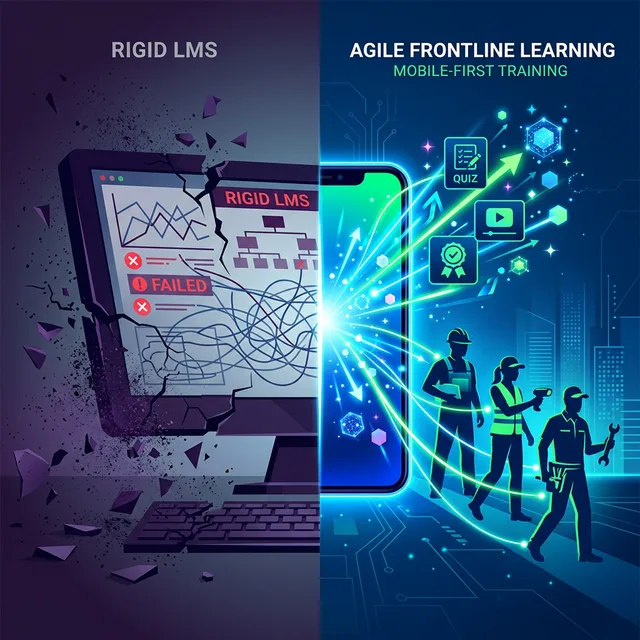
Here is the problem: most LMS platforms were not designed for deskless workers. They were designed for corporate environments with managed devices, stable internet, and workers who sit at desks. Choosing the wrong platform means spending six months implementing something your workers will never use.
This guide helps you evaluate platforms through the lens of frontline reality - not vendor marketing.
The Non-Negotiable Criteria
1. Access Without Friction
What to evaluate: Can workers access training without downloading an app? Without creating an account? Without remembering a password?
Why it matters: Every barrier reduces completion. If your workers need to visit an app store, create credentials, and navigate an unfamiliar interface before they see their first training module, you have already lost 40-50% of them.
Red flag: If the platform requires a company email address for account creation and your workers do not have company email.
2. Mobile-First (Not Mobile-Responsive)
What to evaluate: Was the platform designed for phones first, or is it a desktop experience squeezed onto a mobile screen?
Why it matters: Frontline workers access everything on their phones. A truly mobile-first platform has larger touch targets, simpler navigation, and content designed for small screens.
Red flag: If the mobile demo feels clunky or requires zooming and scrolling to interact with content.
3. Language Support
What to evaluate: How many languages are supported? Is the interface translated, or just the content? Can content be auto-translated using AI?
Why it matters: A platform that only supports English or Hindi will fail in a country where workers speak Tamil, Telugu, Kannada, Bengali, Marathi, Gujarati, and dozens more.
4. Content Creation Speed
What to evaluate: How long does it take to create and deploy a new training module? Can AI assist with content creation?
Why it matters: Frontline training needs change fast. New SOPs, product launches, policy updates all need quick deployment.
5. Connectivity Resilience
What to evaluate: Does the platform work on slow or intermittent internet? Can content be accessed offline?
Why it matters: Factories, warehouses, and rural delivery routes often have poor connectivity.
Questions to Ask During Vendor Demos
- "Show me the learner experience on a low-end Android phone with no app installed."
- "How long does it take to create and deploy a new module from scratch?"
- "What languages do you support for India, and how is content translated?"
- "What happens when a worker has no internet connection?"
- "How do you handle 10,000 workers accessing content simultaneously?"
- "Show me the manager dashboard. What can a team lead see without admin access?"
- "What does your pricing look like at 5,000, 20,000, and 50,000 users?"
Platform Categories to Consider
WhatsApp-native platforms (e.g., Leap10x): Best for workforces in India, Southeast Asia, and GCC where WhatsApp is the dominant communication channel. Zero app downloads. Highest adoption rates for blue-collar and frontline teams.
Mobile-first microlearning apps (e.g., Axonify, SC Training): Best for organizations willing to invest in app adoption. Stronger gamification and adaptive learning features but higher adoption friction.
Comprehensive learning suites (e.g., Disprz): Best for organizations that need to serve both knowledge workers and frontline workers on a single platform.
Rapid authoring tools (e.g., 7taps): Best for L&D teams that need to create content quickly and distribute via links. Less suited for end-to-end frontline training management.
The Decision Framework
Ask yourself three questions:
- What device does my worker use? If it is a personal smartphone with limited storage, eliminate any platform requiring app downloads.
- What channel does my worker already use daily? If it is WhatsApp, choose a WhatsApp-native platform.
- How fast do I need to deploy new content? If the answer is "within hours," choose a platform with AI-powered content creation.
The answers to these three questions will eliminate 80% of platforms and leave you with a shortlist that actually fits your workforce.
See how Leap10x is built for deskless workforce training →
The best LMS for your frontline is the one they actually use. Start with your workers' reality and work backward to the technology.
Frontline training
Training software built for deskless teams
Onboarding, SOPs, safety refreshers, and compliance evidence for workers with no corporate email and no company device — tracked by site, role, and shift.